Thursday, March 30, 2017

Kya's Colorization

Today I will be colorizing Ulysses S. Grant using Photo Shop. He was the 18th president of
  U.S., was very close friends with our 16th president, Abe Lincoln, and lead the
   Union Army to victory in the American Civil War.                                                                                                                                                                                                      


First Step Of Colorization : I have colored Ulysses´s eyes a nice light shade of brown ( his eyes were really blue,but I didn´t know ) . This is how
I came about this process : I zoomed in close to his eyes to make sure I got everything,I cut out his eyes &
and made a separate layer with just them on it.I selected his eyes and then went to the color pallet.I choose a nice brown,colored his eyes in with it,and clicked overlay.This was my result.


2nd Step Of Colorization : I have colored Ulysses Grants eyes to match his hair. I did this with Photo Shop by zooming in on his hair,to make sure I got egdes and all.I selected it,cut it out,and made a separate layer with just it. The color pallet stays on the same color after you use it,which is very convenient.So, I selected his hair,then selected the same brown as I did before with the eyes,clicked overlay,which is a very handy tool on Photo Shop,and this was my product.


3rd Step Of Colorization :


Bryson
no
yes
keep doing what you're doing it's good so far
lol have fun

Wednesday, March 29, 2017

Carli Landry's Colorization

Carli Landry's Colorization

I am going to use Photoshop to colorize this black and white
 picture of the 16th President, Abraham Lincoln.  

Day 1:
      Today I changed the color of the background from
grey and white to blue and white. I used the Quick
Selection Tool in Photoshop to do so. I have to be
sure not to include ANY of his hair. I used a darker
shade of blue for this change. To add the color I used
the Brush Tool.

Day 2:
      Today I am going to change the color of his suit to 
a darker shade of black. I will be using the Quick 
Selection Tool for the change also. I have to make sure 
that I don't select the white part of his suit, or it will 
make that part look grey.
      

Friday, March 24, 2017

PhotoShop-Kloie Edgerly


      First Day!


              Today On Thursday March 2, I will be trying to change the color of the
             soldiers hats. To a darker color to make their hats a little more like a soldier's
            hat.


    Second Day!


Aarron Carpenter- Colorization


The goal of it to show you the steps on the colorization of Harriet Truman. First I'm going to color her skin.


Dillan Daniels.
No I did not find any tools.
Yes I found complete sentences.
They could say what tools they used and the steps they took.

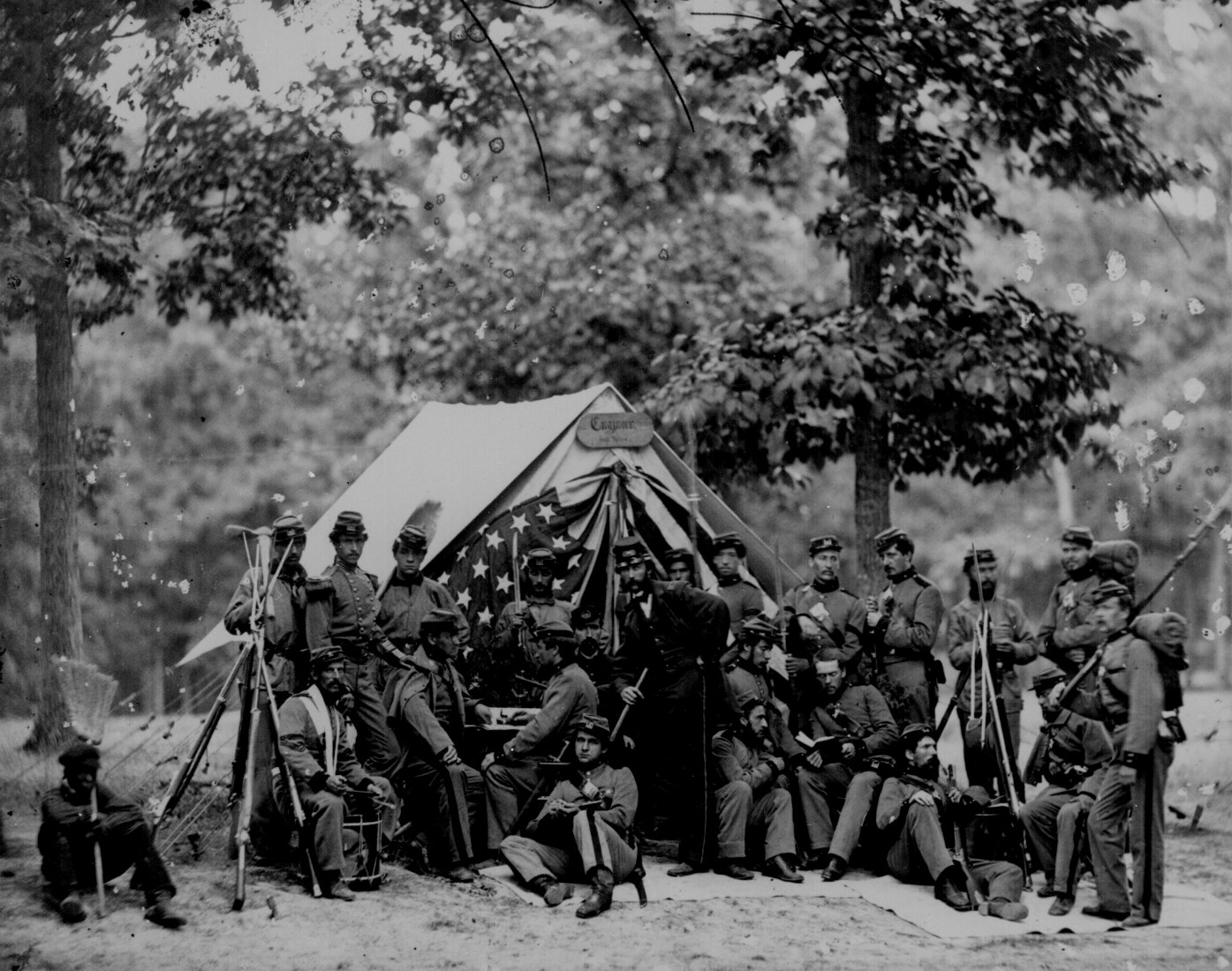
This is my original photo. Its a picture of the civil war during 1861-1865. 


This is after I changed the tent and the tree. I highlighted the tent and the tree and right clicked. Later, I selected the paint brush and then chose a dark brown and a light green for the color of the tent and the tree.


colorization Daniel Word

Hi ,my name is Daniel Word and I am going to change him from black and white to color .


i'm changing his black and white hair to a reddish orange.I clicked on the quick selection tool and selected his hair. I


Historical Coloration Photo

Here's the historical photo I started to color.
With this picture of Harriet Tubman, I will now begin to colorize her sweater.